
Introduction
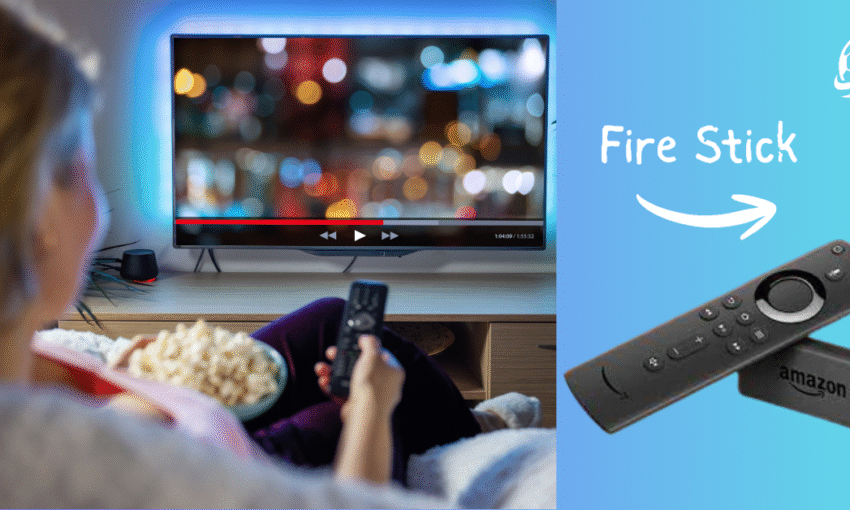
IPTV (Internet Protocol Television) instead of cable or satellite. The Amazon Fire TV Stick is a popular device for streaming IPTV in the UK.
If you are new to IPTV and want to know how it works with a Fire TV Stick, this guide is for you. We will explain everything in simple terms so beginners can understand. By the end, you will know what IPTV is, how to set it up on your Fire TV Stick, and what to consider when choosing a service.
What is IPTV?
IPTV stands for Internet Protocol Television. It shows programs over the internet instead of antennas, cable, or satellite signals like traditional TV. This means:
- You can watch live TV channels on the internet.
- You can watch movies and shows whenever you want.
- You have more flexibility than with regular cable TV.
Some IPTV services are legal and official, like BBC iPlayer, ITV Hub, and Amazon Prime Video. Other services may be unofficial and charge a fee to access premium channels and content.
Why Use IPTV on a Fire TV Stick?
The Amazon Fire TV Stick has become a household favourite because:
- It’s affordable and easy to use.
- It plugs into your TV’s HDMI port and turns it into a smart TV.
- It supports apps and IPTV players that stream thousands of channels.
- It works great in the UK with popular streaming apps.
Using IPTV with a Fire TV Stick gives you the best streaming experience.
Legal vs. Unofficial IPTV Services
When talking about IPTV, it’s essential to understand the difference:
- Legal IPTV services: You can download apps like BBC iPlayer, NOW TV, and Netflix directly from the Amazon App Store.
- Unofficial IPTV services: Some apps or services let you access paid channels for free or at a lower price.
⚠️ Important Note: Using unofficial IPTV Service can lead to problems such as malware, unreliable streams, and legal issues. Always pick a trusted provider.
Things Beginners Should Know About IPTV on Fire TV Stick in the UK
If you’re interested in IPTV and how it works on an Amazon Fire TV Stick, you’re in the right place. This guide explains everything in 10 simple points for beginners.
. IPTV Means TV Over the Internet
IPTV streams TV shows through your internet connection instead of a cable or satellite dish. It works like Netflix, but it offers live channels and on-demand shows.
. Fire TV Stick Turns Any TV Smart
The Fire TV Stick is a small device that connects to your TV’s HDMI port. You can download apps, stream movies, and watch IPTV when connected to Wi-Fi.
. You Don’t Need Fancy Equipment
No dishes, no boxes, and no messy wires. You only need your Fire TV Stick, a TV, and a stable internet connection.
.There Are Legal and Unofficial IPTV Services
Legal IPTV: Apps like BBC iPlayer, ITV Hub, NOW TV, and Pluto TV.
Unofficial IPTV: Third-party providers with extra channels but possible risks.
.Free Apps Are the Best Starting Point
As a beginner, use free legal apps. BBC iPlayer, ITV Hub, All 4, and Pluto TV are good options. You can easily install these apps from the App Store.
.Paid IPTV Offers More, But Be Careful
Some providers offer subscriptions with many channels, including sports and movies. Choose carefully, as some options are unreliable or illegal.
.You’ll Probably Want a VPN
A VPN (Virtual Private Network) protects your privacy, helps reduce buffering, and may allow you to access more content. It is highly recommended for IPTV users.
.Internet Speed Matters
For smooth IPTV streaming in the UK:
10 Mbps = Good for standard quality.
20+ Mbps = Best for HD and 4K content.
.Troubleshooting Is Easy
Common IPTV problems have simple fixes:
Buffering? Restart your router.
App crashing? Reinstall the app.
Contact your IPTV provider for a new link if your playlist isn’t working.
.IPTV + Fire Stick = Freedom and Flexibility
You can watch what you want, whenever you want, without being tied to TV schedules or paying high cable bills. This option fits in your pocket and lets you enjoy your favourite shows on your own terms.
Explanation of IPTV UK Fire TV Stick
IPTV means watching TV online instead of using a satellite dish or cable box. In the UK, many people now use IPTV because it gives them more choice, like live channels, movies, and shows on demand.
The Amazon Fire TV Stick is a small device that plugs into your TV. Once connected to Wi-Fi, it turns your regular TV into a smart one. You can download apps, stream channels, and even use IPTV services.
For beginners:
- Think of IPTV like Netflix or YouTube, but with TV channels.
- The Fire TV Stick makes it easy because it’s cheap, small, and straightforward.
- You must install an IPTV app, enter your details, and start watching.
There are two kinds of IPTV:
- Legal IPTV – like BBC iPlayer, ITV Hub, and Pluto TV (all safe and free).
- Unofficial IPTV – some providers offer many channels for a small fee, but they may not always be safe or legal.
If you’re new, start with the free legal apps. Later, if you want more, you can try paid IPTV. Many people also use a VPN to protect their internet activity and stay safe.
In short, IPTV on a Fire TV Stick in the UK is a cheap, simple, and flexible way to enjoy TV without needing expensive cable or satellite.
How to Set Up IPTV on a Fire TV Stick
Setting up IPTV on your Fire TV Stick is easy. Follow this simple step-by-step guide, and you’ll be up and running quickly.:
Step 1: Prepare Your Fire TV Stick
- Plug your Fire TV Stick into your TV’s HDMI port.
- Connect it to your Wi-Fi.
- Log in with your Amazon account.
Step 2: Install an IPTV Player App
To watch IPTV, you’ll need an IPTV player app. Some popular options include:
- TiviMate
- IPTV Smarters Pro
- Perfect Player
You can find some apps directly in the Amazon App Store. For others, you may need to sideload them using an app like Downloader.
Step 3: Get an IPTV Subscription (Optional)
Many IPTV apps require you to enter a playlist URL (M3U link) or Xtream codes from your IPTV provider. This gives you access to the channels and content.
Step 4: Enter Your IPTV Details
- Open your IPTV app.
- Enter the subscription details from your provider.
- Load the playlist and start watching.
Best IPTV Apps for Fire TV Stick in the UK
Here are some beginner-friendly IPTV apps:
- IPTV Smarters Pro – Easy to use and supports live TV, movies, and series.
- TiviMate – Popular for its sleek design and advanced features.
- Kodi – Highly customizable with different add-ons.
- Perfect Player – Simple and lightweight IPTV player.
Free IPTV Options on Fire TV Stick
If you’re not ready to pay for IPTV, there are free options available:
- BBC iPlayer (for UK users, free with a TV license)
- ITV Hub
- All 4 (Channel 4)
- My5 (Channel 5)
- Pluto TV (free live channels)
These services are safe, legal, and easy to install from the Amazon App Store.
Do You Need a VPN for IPTV?
Many IPTV users in the UK choose to use a VPN (Virtual Private Network) on their Fire TV Stick.
Why use a VPN?
- Protects your privacy.
- Keeps your streaming activity hidden from your ISP.
- Allows you to access geo-restricted content.
- A good VPN ensures safe and smooth streaming.
Common Problems and Fixes
Even beginners can have problems using IPTV. Here is a simple troubleshooting guide to help you fix any issues.:
If you experience buffering, follow these steps: First, check your internet speed. Then, restart your Fire TV Stick. Finally, you can lower the stream quality if needed.
If the app is not loading, try clearing the cache or reinstalling the IPTV app. If the playlist is not working, contact your IPTV provider or check if the link is updated.
If you have no sound or video, restart the Fire TV Stick and check the HDMI connection.
Pros and Cons of IPTV on Fire TV Stick
Pros:
- Affordable compared to cable.
- A massive variety of channels and on-demand content.
- Works on any TV with HDMI.
Cons:
- Some IPTV services may be unreliable.
- Buffering issues if the internet speed is low.
- Legal risks with unofficial IPTV.
Tips for Beginners
- Always start with free and legal IPTV apps.
- If paying for IPTV, choose a reputable provider.
- Use a VPN for added privacy.
- Keep your Fire TV Stick updated for the best performance.
FAQs about IPTV UK Fire TV Stick
Q1. Is IPTV legal in the UK?
IPTV is legal and uses official apps like BBC iPlayer or Netflix. Using unofficial IPTV may cause legal issues.
Q2. Do I need fast internet for IPTV?
Yes. At least 10 Mbps is recommended for smooth streaming.
Q3. Can I install IPTV apps without Downloader?
Some apps are available in the Amazon App Store. For others, you may need Downloader or alternative methods.
Q4. Do I need to jailbreak my Fire TV Stick for IPTV?
Not necessarily. Many IPTV apps can be installed without jailbreaking.
Q5. Which VPN is best for IPTV on Fire TV Stick?
Popular options include ExpressVPN, NordVPN, and Surfshark.
Q6. Can I use IPTV without a subscription?
Yes, but only with free legal apps like Pluto TV or BBC iPlayer.
Conclusion
Using IPTV on a Fire TV Stick in the UK is a flexible and straightforward way to enjoy entertainment. You can start in just a few minutes by installing the right apps and entering your IPTV details.
If you’re new to IPTV, start with free legal apps to learn how it works. You can consider paid subscriptions later if you want more options. Always use a VPN for added safety. Remember, the Fire TV Stick is designed to make watching TV easy. This guide will help you set up IPTV on your Fire TV Stick to enjoy endless streaming in the UK.
